


































You have the equipment: a sharp screen, a deep sofa, and a cozy recliner. Yet, the room feels disorganized. Maybe you tilt your neck at an awkward angle to see the screen, or you trip over furniture on the way to grab a snack. A great media room depends on simple geometry and easy movement. Following basic rules for layout and flow turns a cluttered space into a comfortable home cinema.
Core Principles for a Media-Focused Entertainment Room Layout
Setting up a room for movies and games requires a focus on how sound and light move through the space. These rules ensure your hardware performs well while keeping you comfortable.
The Theater Triangle for Screen, Sound, and Seating
Think of your setup as a triangle connecting the screen, the speakers, and your ears. To get the best audio, sit where the sound waves meet. If you use a recliner with bluetooth speakers and power lumbar support, you already have a head start on clear sound. Keep large objects like lamps or tall plants away from the space between your ears and the sound source. This keeps voices clear during quiet movie scenes.
Clear Sightlines from Every Seat
Nothing ruins a movie faster than a person's head or a tall vase blocking the screen. Every seat in the room needs a clear view of the entire display. When picking out a coffee table or decor, keep them low. If you have a modular curved sofa, check the view from the far ends of the curve. Ensure the angle works for everyone without cutting off the bottom of the picture.

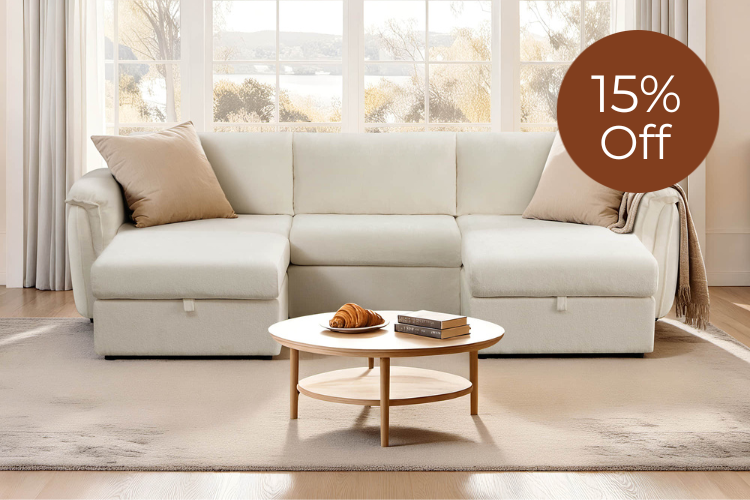
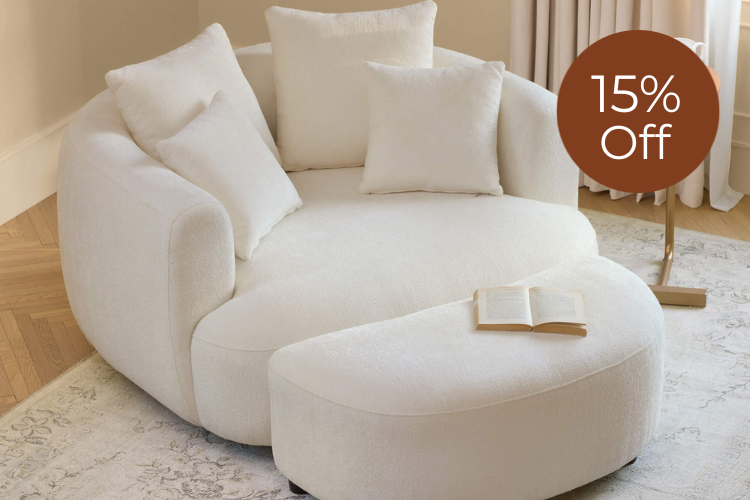
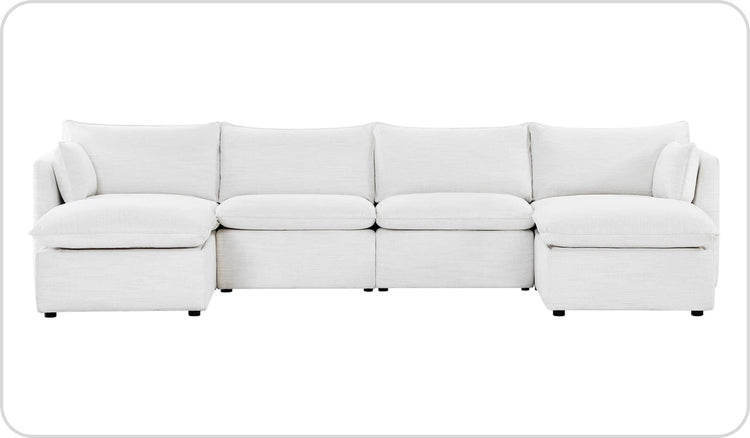
Teleri 4-seat Modular Curved Sofa with Wood Leg features architectural curves, bold solid birch legs and a flexible 4-piece modular design, paired with CertiPUR-US certified foam, sinuous spring support and reversible zip-off cushions for durable, medium-support comfort that transforms modern living rooms.
Acoustic Balance Using Soft and Hard Surfaces
Electronics and wooden furniture, like a TV stand, create hard surfaces. These surfaces reflect sound and create echoes. You can fix this by adding soft materials to the room. Use a thick area rug, fabric curtains, or reclining sofas upholstered in soft material to soak up extra noise. These items make the room feel warmer and help you hear the dialogue better.
Light Control and Screen Glare
Light makes a screen hard to see. If you place your screen directly across from a bright window, the reflection washes out the colors. If your layout forces the TV onto a wall with windows, use blackout curtains. Managing light is the only way to see the deep blacks and bright colors your screen should show.
Step 1: Anchor Your Room with the TV Stand
The first piece of furniture to place is the one that holds the screen. Everything else in the room sits based on where this focal point stays against the wall. Choosing the right spot for your TV stand sets the tone for the whole space. Pick the longest solid wall that does not face a direct light source to serve as your main focus.
Pick the Focal Wall for Your Screen
Look for the wall that catches your eye when you enter the room. This is usually the wall without doors. By placing your media center here, you create order. If you have extra gadgets like gaming consoles or remote controls, a TV stand with drawer storage keeps the area looking clean.

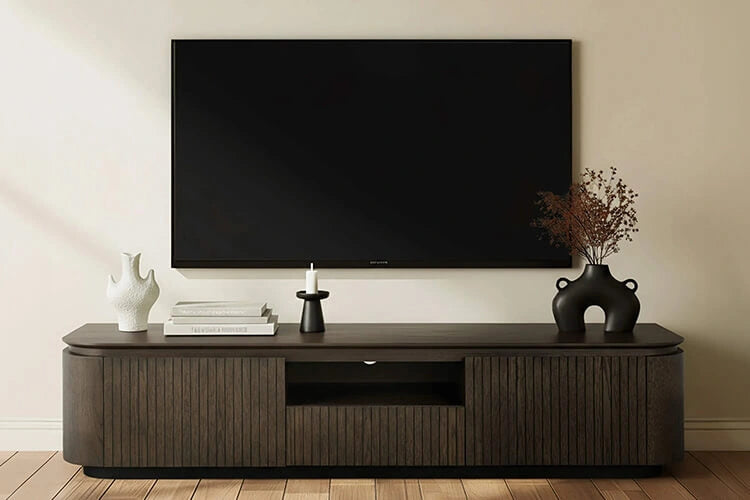
71" Chad Classic Open Shelf Functional TV Stand with Drawer features a clean, classic low-profile silhouette with open shelves for media devices, a central drawer for clutter-free storage and a versatile design that keeps living rooms organized while complementing both modern and traditional décor.
Match the TV Height and Stand Size to Your Seating
Many people mount their TVs too high. This leads to neck pain. The center of the screen should stay at your eye level when you sit down. For most people, this is about 42 inches from the floor. Also, the stand must be wider than the TV. If the TV hangs over the edges of the stand, the room looks top-heavy and shaky.
Leave Space for Airflow and Cables
Do not push the furniture flat against the wall. Leave three or four inches of space behind the cabinet. This allows air to move around your electronics so they do not get too hot. It also gives you enough room to handle wires without pinching them.
Step 2: Position Your Primary Seating (The Sofa)
Once the screen is set, decide where the main crowd will sit. Your largest seating piece defines the comfort level and the "front row" experience of your room.
Find the Right Distance Between the Sofa and TV
The distance between your sofa and the screen is the most important measurement for eye comfort. Sitting too close causes strain, and sitting too far makes you miss small details.
A simple way to find the right spot is to multiply your screen size by 1.5 and 2.5. For a 65-inch TV, your seating should stay between 8 and 13 feet away. If you use a large modular sofa, ensure the middle section lines up with the center of the screen. This creates balance and gives the best view to the most people.
Place the Sofa Toward the Screen
Try to place the main seating directly across from the TV. Angled seating works for extra chairs, but the main spot needs to face the screen. If you have a large family, sectional recliners provide plenty of space. They ensure everyone has a comfortable place to lean back during a long film.
Leave Space for Easy Movement
Ensure people can move around without walking in front of the screen. Leave a path of at least 30 inches behind the seating or to the sides. If your room is tight, choosing wall hugging recliners or a slim couch helps keep the walkways clear while saving floor space.
Step 3: Integrate the Accent Seating (The Recliner)
Extra seating adds variety to your room. These pieces need careful placement to avoid blocking paths or making the space feel cramped.
Adding a recliner provides a great spot for one person to relax. The goal is to place it where it helps the main seating without making the room feel crowded.
Angle the Recliner for Viewing and Conversation
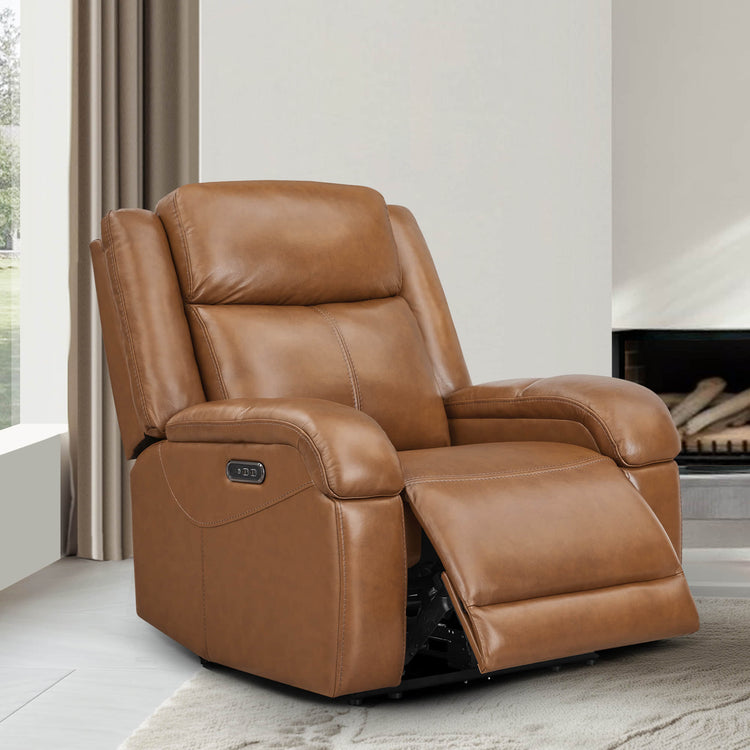
The best location for a single chair is to the side of the main couch, angled toward the TV. This "L" shape makes the room feel social. People can see the screen and each other. If you have an electric recliner, put it near a power outlet. This prevents cords from stretching across the floor where people trip.
Allow Enough Room for the Chair to Recline
A common mistake is placing a chair too close to a wall. Before you finish the layout, test how the chair leans back. If you have a small area, wall hugger recliners work well. They slide forward as they lean back and only need a few inches of space from the wall.
Keep the Chair Out of Main Paths
Do not place a chair where it blocks the entrance. If the back of the chair faces the door, the room feels closed off. Also, ensure the chair is not so far to the side that the viewer must twist their neck to see the screen clearly.

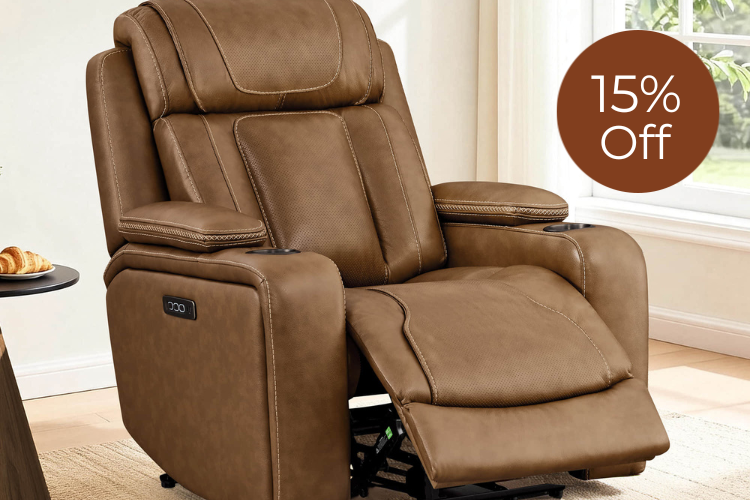
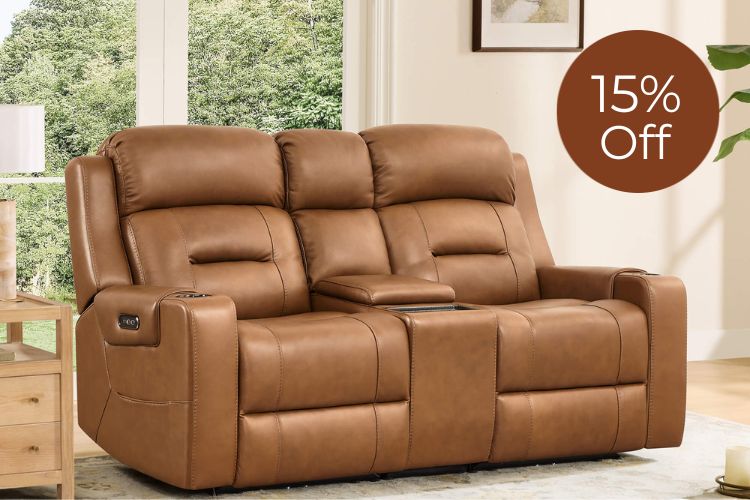
Sonia Recliner with Bluetooth Speakers and Power Lumbar Support turns downtime into an immersive retreat, pairing a deep, extra-plush power recliner that lays back to about 165° with adjustable lumbar support, Bluetooth headrest speakers, USB-A/USB-C charging and a soft chenille-textured performance fabric.
Three Proven Entertainment Room Layout Examples
Visualizing the final result helps you decide which pieces fit your life. These three templates work for most standard room shapes and sizes. Choose the one that fits your room size and your furniture style.
The Classic Layout
This works well for rectangular rooms. Place the sofa across from the TV stand. Put one chair on the side, angled toward the center. This leaves room for a coffee table and keeps the main walkway open. It is a simple way to organize a standard living room.
The Symmetrical Layout
In larger rooms, symmetry creates a neat look. Place the couch in the center and put two matching chairs on both sides. This works if you have a pair of wall hugging recliners near the side walls. This layout is great for groups because it gives a balanced view to everyone.
The Small Room Solution
When space is tight, use the corners. Push the couch against the longest wall and place a single chair in the opposite corner on a diagonal. Using a modular sofa helps you fit the furniture to your specific wall length. This keeps the middle of the room open so the space feels larger.

Ivy 4-Seat Performance Fabric Modular Sectional Sofa with Storage Ottoman offers cloud-like feather-filled reversible cushions in water-resistant chenille, a lift-top storage ottoman, soft 2/5 firmness seating, FSC-certified kiln-dried frame with no-sag springs and 350 lb per seat capacity, plus tool-free assembly that fits 29" doorways for versatile modern living.
Arrange Furniture to Improve Your Entertainment Room
Balance your gear and furniture to create a functional room. Center the screen at eye level and keep the right viewing distance to avoid neck pain and glares. Choosing pieces that fit your floor plan keeps the room easy to walk through. These steps help you build a space where you can relax and enjoy your favorite movies without distraction.
FAQs About Entertainment Room Layouts
Q1: What if my room has a fireplace and a TV?
Place them on different walls if possible. If the fireplace is the focal point, position the television on a side wall using a swivel mount. Mounting the TV high above a mantel usually leads to neck strain. The television screen should be positioned at the lowest safe height.
Q2: How much space remains between the sofa and the coffee table?
Leave about 14 to 18 inches. This is sufficiently far to enable one to walk between corners, yet close to grab the remote. If your sofas have reclining mechanisms, make sure that as the footrests extend, they do not hit the dining table.
Q3. My recliner does not match my sofa. How do I fix the problem?
Use colors to connect them. Place a blanket on the chair that matches the color of your couch. You can also use a rug with colors from the two other items to make the room feel like it is a single unit.
Q4: How can I reduce glare on my TV screen?
Install thick curtains to block light. If this is not possible, position the TV stand away from the window. Placing a small light strip at the back of the TV also helps your eyes feel better in a dark room.