































Skip the screen-size label and start with a tape measure. A TV stand for a 75-inch TV needs to contain the exact width and depth of your TV's feet or pedestal, hold its actual weight within the stand's stated capacity, and leave room for your gear and walkways. The "75-inch" number describes the diagonal screen only, so it can't tell you whether a console will actually fit.

Once you have those measurements, comparing them against a console's usable top and rated capacity turns a guessing game into a pass/fail checklist.
How to size a TV stand for a 75-inch TV
Start with the TV, not the stand. Every measurement below feeds a simple containment check: does the console's usable top hold your TV's actual footprint?
Start with the TV's actual measurements
Work through these steps before you shop:
- Measure the TV body's width and depth, and record the model's listed weight from the manual or box.
- Measure the outer edges and depth of the pedestal or separate feet, since this footprint is often narrower than the screen.
- Note whether the TV will sit on a stand (tabletop) or go on the wall, because that changes what the console needs to support.
- Measure the console's usable top surface, not just its outside dimensions, since trim or raised edges can shrink the space.
- Measure your wall space, nearby outlets, walkways, and door swings where the console will sit.
Turn the measurements into a stand target
Width and depth are containment checks: the console's usable top must be equal to or greater than your TV's support-footprint width and depth. Height is a room and equipment decision shaped by your seating distance, soundbar placement, and the TV manufacturer's own placement guidance rather than a fixed number.
A rough 16:9 screen-width illustration can show why the diagonal number misleads buyers: a 75-inch diagonal screen works out to roughly 65 inches of screen width using standard aspect-ratio math, but that figure ignores the bezel, TV body, and support footprint entirely. It's a geometry example, not a purchase measurement. Real 75-inch class televisions vary in body width, depth, and stand footprint by model, which is why manufacturer specifications for a given TV, such as the 75-inch model dimensions and stand footprint listed in that model's manual, remain the only reliable source for your exact unit.
| Measurement | How to get it | Compare to | Pass condition |
|---|---|---|---|
| TV support-footprint width | Measure outer edges of feet or pedestal | Console usable top width | Top width ≥ footprint width |
| TV support-footprint depth | Measure feet or pedestal depth | Console usable top depth | Top depth ≥ footprint depth |
| TV weight | Check TV manual or box label | Console's stated capacity for that surface | Weight ≤ stated capacity |
| Room clearance | Measure wall space, outlets, walkways | Console's full outside footprint | Console fits without blocking access |
Verify support, depth, and stability before you buy
A large weight-capacity number on a console doesn't guarantee your TV sits safely on it. You still need to match the load to the right surface and confirm stable, level placement.
Match the load to the correct surface
Check these before assuming a stand is strong enough:
- Use the TV's exact listed weight, not its shipping weight, unless the manual identifies shipping weight as the same figure.
- Apply the tabletop or countertop rating to the surface carrying the TV itself.
- Apply a shelf rating only to devices placed on that specific shelf, since it's often lower than the top surface rating.
- Keep the TV's load and any equipment load on the surface each is actually rated for; don't combine them against a single number.
Check placement and tip-over protection
The CPSC's guidance for securing tabletop TVs recommends using furniture specifically designed to hold a television, anchoring TVs that aren't wall-mounted, and following the manufacturer's instructions for both the TV and the stand. In practice, that means placing the TV's feet or pedestal fully within the console's stable, level top, avoiding overhang past the edge, and keeping power access reachable rather than wedged against a wall. Do not proceed with a tabletop setup if the furniture isn't designed to support a television or if the TV and furniture instructions don't offer a compatible way to secure it.
Match the stand to your room and equipment
Room size and equipment load, not personal style alone, should narrow your shortlist. Use the scenario that matches your setup, then confirm it against the support check above.
Use the room scenario to narrow the profile
| Setup | Priority | Avoid | Relevant example |
|---|---|---|---|
| Compact room | Smallest footprint that passes support and storage needs | Oversized consoles that crowd walkways | Shallower, lower-profile options |
| Large or open-plan room | Wider console for proportion and storage, after clearance checks | Assuming width alone solves proportion | Wider consoles with deeper storage |
| Gaming or streaming | Usable compartment size, rear access, ventilation | Sealed storage that blocks ports or airflow | Consoles with rear cable access |
| Pedestal or separate feet | Base footprint measured independently from the screen | Assuming screen width equals base width | Any console once footprint is confirmed |
| Wall-mounted TV | Console as storage and cable-routing furniture only | Treating the console as the TV's support | Any console once storage needs are set |
Use verified product examples only after the fit logic
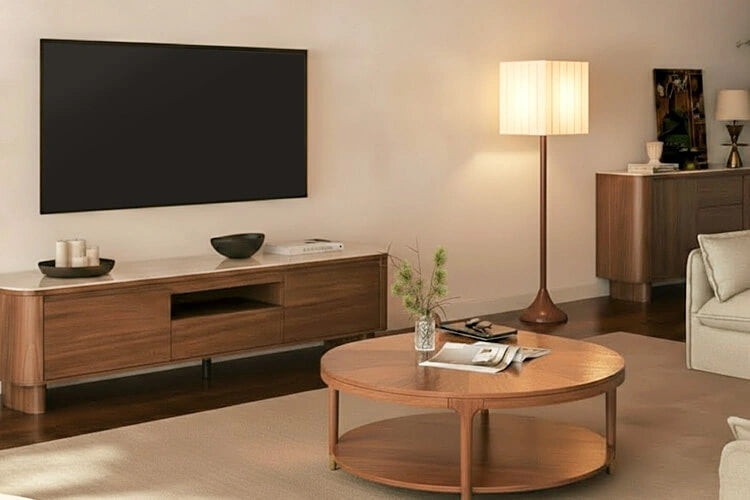
Once your measurements pass the containment and support checks, our lineup offers a few concrete comparisons. The 79 inch Vanessa console measures 78.74 inches wide, 15.75 inches deep, and 12.2 inches high, with a 250-pound capacity and three drawers, which suits a wide, low-profile footprint in rooms where floor space is tight. The 79 inch Riley console shares that 78.74-inch width but adds depth at 18.90 inches and height at 19.69 inches, with a 220-pound capacity, adjustable shelves, and a rear cable port, which fits setups with more gear that needs organized, accessible storage.
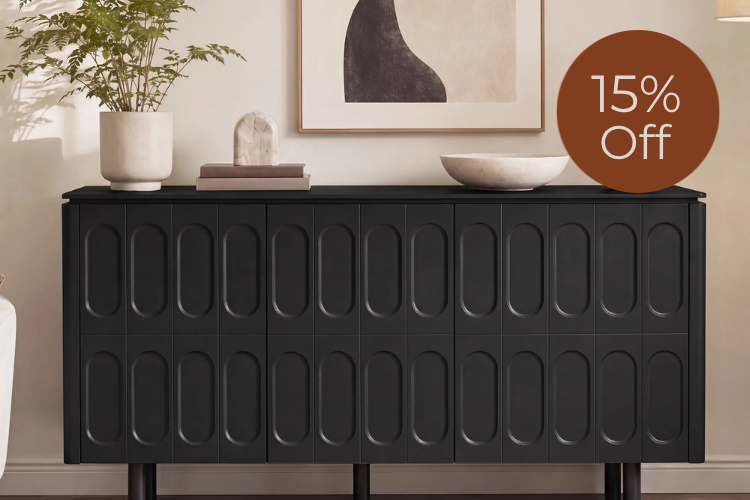
The 63 inch Elias sideboard is narrower at 62.2 inches wide and taller at 29.9 inches, with a 110-pound countertop capacity and a separate 50-pound shelf capacity plus four rear cable openings. It's a taller storage alternative for rooms with a narrower wall, but its listed dimensions and capacities don't establish it as a default 75-inch TV stand, so confirm your TV's exact footprint and weight against these numbers before choosing it as your primary support surface.
Plan cable management as part of the fit
Cable management is a layout decision to make before you buy, not a feature to discover after the console arrives. Map your outlet, devices, and cable path first, then check that routing doesn't interfere with power access or airflow.
Route cables before loading the console
Work through this sequence:
- Locate the outlet and note its distance from where the console will sit.
- Identify each device's cable needs, including power, HDMI, and any network cables for a router.
- Match those cable paths to the console's actual openings or rear access points.
- Leave slack for a service loop, so you can pull a device forward later without disconnecting everything.
Treat ventilation and access as separate checks
A rear cable port or opening helps you route wires neatly, but it doesn't by itself prove adequate airflow, router performance, or electrical suitability. The manufacturer ventilation and no-overhang guidance for a comparable TV model highlights keeping ventilation openings clear, using a stable and level surface, and keeping power connections accessible as separate, model-specific requirements. Keep any gaming console, receiver, or router positioned so you can reach it for service, and leave its own ventilation openings unobstructed according to that device's manual. Do not place powered equipment inside a compartment if doing so blocks its vents or conflicts with the TV or device manufacturer's operating instructions.
Make the final pass/fail check before ordering
Order only once every measurement above has a confirmed answer, not an estimate. Pause and gather the missing detail first if any of these are unresolved:
- Your TV's exact weight, body footprint, and feet or pedestal dimensions are unknown or unconfirmed against the manual.
- The console's stated capacity or usable top dimensions for the surface that will carry the TV aren't listed.
- Room clearance around the console, including walkways and outlet distance, hasn't been physically measured.
- Your cable path from outlet to devices to TV hasn't been mapped against the console's actual openings.
If all four pass, you have a defensible fit. If any one fails, resolve it before adding anything to your cart.
FAQs
Is a 75-inch TV stand supposed to be 75 inches wide?
No. The 75-inch figure describes the screen's diagonal measurement, not the width of the TV body or its stand footprint. Measure the TV's actual body width and the outer edges of its pedestal or feet, then compare those numbers to the console's usable top width and any placement guidance in the TV's manual.
How much weight capacity should a TV stand have for a 75-inch TV?
Compare your TV's exact listed weight to the console's stated capacity for the specific surface that will carry it, such as the tabletop rating rather than a shelf rating. If you're also placing equipment on that same surface, account for its weight too rather than assuming a higher capacity number automatically covers everything on top of it.
Can I keep my router and gaming equipment inside a TV console?
A rear cable opening makes routing easier, but it doesn't confirm that a compartment provides enough airflow for a router, game console, receiver, or power strip. Keep each device's ventilation openings clear, keep power connections reachable, and follow that device's own manual for placement, rather than treating a cable port as proof of adequate ventilation.
Sources
- U.S. Consumer Product Safety Commission. AnchorIt.gov.
- Samsung. QN65Q9FNAF/QN75Q9FNAF user manual.
- Sony. X9000F series reference manual.
Recommended Products


More to Read
 7 Sofa Trends That Actually Improve Comfort in 2026
Upgrade your living room with furniture that supports your body. Here are 7 modern sofa features designed to maximize your daily comfort...
7 Sofa Trends That Actually Improve Comfort in 2026
Upgrade your living room with furniture that supports your body. Here are 7 modern sofa features designed to maximize your daily comfort...
 Mother's Day Gift Guide: Cozy and Stylish Furniture Picks for Modern Moms
Make Mother's Day more meaningful with furniture gifts that bring comfort, smart features, storage, and quiet luxury into her everyday routine.
Mother's Day Gift Guide: Cozy and Stylish Furniture Picks for Modern Moms
Make Mother's Day more meaningful with furniture gifts that bring comfort, smart features, storage, and quiet luxury into her everyday routine.
 Performance Fabric Reality Check: Does It Really Repel Pet Hair and Stains?
Performance fabric is often marketed as a miracle solution for homes with pets and kids, but the reality is more nuanced. It...
Performance Fabric Reality Check: Does It Really Repel Pet Hair and Stains?
Performance fabric is often marketed as a miracle solution for homes with pets and kids, but the reality is more nuanced. It...