




















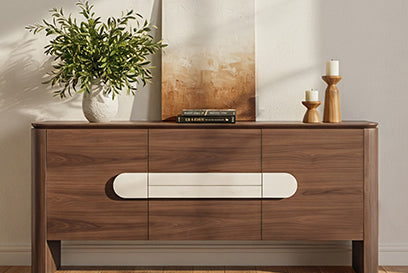








Best media storage furniture for small apartments

The best media storage furniture for a small apartment is the smallest verified TV stand or media console that fits your measured wall, walking path, TV, equipment, storage needs, and cable setup. Start with a minimal TV stand when your setup is simple, choose a narrow console when you need defined concealed or mixed storage, and consider an adjustable unit only when its full operating footprint solves a measured layout problem. No single product is the market-wide winner: fit and access determine the right choice.

Choose the right media-storage format for your apartment
Choose the format based on the problem your apartment presents, not on a “compact” label. The examples below are conditional Chita Living options with published dimensions. Compare each one with your wall, depth, equipment, and walking-path measurements before ordering.
| Format | Conditional example with published dimensions | Best apartment use | Reject if |
|---|---|---|---|
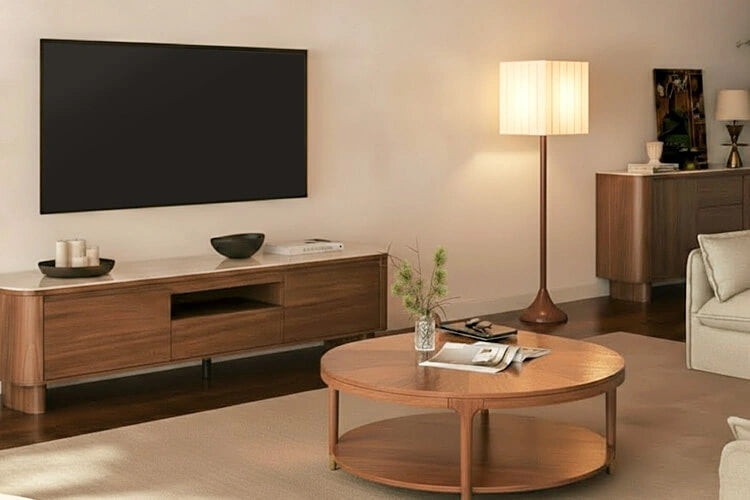
| Minimal TV stand | Rex TV stand, listed at 70.67 inches wide by 15.55 inches deep by 17.72 inches high, with back cable holes and a manufacturer-listed 220-pound capacity | A relatively simple setup with the TV and a few accessible components when depth is tightly constrained | The 70.67-inch width, required device space, cable route, or operating area does not fit. The listed capacity alone does not establish TV compatibility or safe load placement. |
| Narrow or mixed-storage console | Taylor console, listed at 70.87 by 15.75 by 21.65 inches, with a listed shelf opening of 27.56 by 12.99 by 8.66 inches; or Moore TV stand, listed at 78.54 by 17.52 by 17.52 inches with open shelving, hidden cabinets, and one central drawer | A setup that needs some concealed storage alongside accessible equipment | You have not verified the interior openings, cable path, airflow guidance, outlet access, or walking space for your devices. |
| Modular or multifunctional unit | Vanessa extendable console, listed at 78.74 inches wide when closed and 110.24 inches fully extended, with a 15.75-inch depth and three drawers | A changing or awkward layout where the extra configuration solves a specific, measured problem | The extended width, drawer operation, or open configuration reaches into the walking path. An adjustable design is not automatically space-saving. |
Use this qualitative matrix as a format selector, not a product rating: a minimal TV stand is the conditional starting point for a shallow footprint, a narrow media console suits defined mixed storage, and a modular or multifunctional unit works for changing layouts. All three require a full operating-footprint check.
Small-apartment media-storage format decision aid
Qualitative matrix from the supplied format framework and official Chita Living examples. 1 means the format is a conditional starting point for that constraint, not a product score or ranking. Every format still requires measured width, depth, equipment access, and operating-space checks.
View chart data
| Scenario | Shallow footprint | Defined mixed storage | Changing layout | Full operating footprint check |
|---|---|---|---|---|
| Minimal TV stand | 1.0 | 0.0 | 0.0 | 1.0 |
| Narrow media console | 0.0 | 1.0 | 0.0 | 1.0 |
| Modular or multifunctional unit | 0.0 | 0.0 | 1.0 | 1.0 |
Measure the available footprint before you shop
A TV stand fits only when the complete setup fits, including the furniture, cables, equipment access, walking space, and delivery route. Measure those boundaries before comparing finishes or storage labels.
Set the maximum footprint
Measure the usable wall width and the narrowest obstruction-free depth between the wall and the nearest walking path, furniture, door, or other obstruction. Record baseboards, outlets, vents, and nearby furniture because they can reduce the usable footprint. Include room for cable bends and for opening drawers or doors instead of treating the published furniture depth as the setup’s full depth.
Mark the proposed width and depth with painter’s tape or cardboard. Walk the route, open the planned storage, and view the outline from the seating position. This test is more useful than a universal clearance number because every apartment has different doors, outlets, furniture placement, and traffic patterns. For additional small-space arrangement ideas, use the same measured outline rather than arranging the room around a product label.

Match the TV and viewing setup
Measure the TV’s actual width and base footprint, or record the wall-mount position if the screen will not sit on the furniture. Then compare those measurements with the current product page’s placement instructions and stated load information. A TV stand’s width alone does not establish compatibility, suitable load placement, or room for a soundbar and other devices.
Assess seated sightlines without applying a universal viewing-height rule. Also measure the route from the building entrance to the room, including doors, turns, stairs, elevators, and temporary staging space. A console can fit the intended wall and still create a delivery or unpacking problem.
Plan storage and access around your actual equipment
Choose storage around the equipment you own, not around the console’s exterior width. Inventory each device first, then assign it to open, concealed, or mixed storage after checking the relevant openings and operating requirements.
- Inventory the setup. List streaming devices, game consoles, speakers, soundbars, remotes, controllers, discs, power supplies, and accessories. Identify the largest component and the items you use most often.
- Measure devices and cable paths. Record each device’s width, depth, and height, then include plug direction, cable bends, outlet position, and the route to the TV or wall. The device measurement, not the TV measurement, determines compartment fit.
- Choose the access pattern. Use open storage for equipment that needs direct access or frequent handling. Use concealed storage for clutter control only when the equipment’s instructions and access needs allow it. Choose mixed storage when both functions matter.
- Verify the interior. Confirm shelf, drawer, and cabinet openings, cable holes, outlet access, ventilation instructions, and remote-control reach on the current product page. Exterior dimensions do not prove usable capacity, airflow, or remote-signal performance.
- Test the installed path. Keep cables out of walking routes and confirm that drawers and doors can operate. In a rental, check whether anchoring or wall attachment is required and permitted before choosing a setup.
For example, the Taylor’s published shelf opening is 27.56 inches wide, 12.99 inches deep, and 8.66 inches high, but those dimensions do not guarantee that a particular console, soundbar, or device will fit. The Moore lists open shelving, hidden cabinets, and a central drawer, yet its interior openings and equipment airflow still need confirmation. Use a media console storage guide as an additional planning reference, not a substitute for the current product specifications.
Balance visual lightness with useful storage
A polished TV stand for a small apartment comes from proportion and controlled clutter, not from a marketing label. Establish the measured footprint and equipment needs first, then use appearance as a filter.
Compare the console’s width and depth with nearby seating, tables, and sightlines. Leaving visible floor or wall space around the furniture can make the arrangement feel less crowded, while a base with legs, a plinth, curved edges, or horizontal lines changes the piece’s visual weight. These are qualitative design choices, not proof of durability, comfort, material quality, or performance.
Coordinate the finish, texture, and hardware with the room without letting style override fit. Concealed storage can reduce visible clutter, but do not hide equipment that needs direct access, airflow, or a clear remote path. Likewise, reject a wide or deep console if it fails the taped-footprint test or blocks circulation, even when its finish suits the room. Browse small-space style ideas only after the practical limits are clear.
Verify the product page and purchase terms before checkout
Use the current product page and retailer policies as your final reference. Product details and purchase terms can change before checkout or delivery, so save the page you used and complete these checks:
- Dimensions and placement: Confirm the assembled width, depth, height, base or wall-placement details, and stated load limit. Compare them with the measured wall, operating footprint, and TV setup.
- Storage and setup: Verify interior openings, shelf and drawer operation, cable holes, outlet access, ventilation instructions, remote access, and any required assembly. Do not infer these details from exterior dimensions.
- Materials, assembly, and stability: Read the material and finish descriptions, assembly instructions, and safety or anchoring guidance. The CPSC furniture anchoring guidance urges consumers to anchor furniture to help prevent tip-over injuries. That general advice does not prove that a specific TV stand is stable or that every product requires anchoring; follow the product instructions and check whether your apartment permits the required attachment.
- Delivery and retail terms: Review shipping coverage, delivery method, room-placement or assembly responsibility, damage-reporting process, return window and costs, cancellation terms, and warranty. Do not apply one product’s terms to another.
- Final cart decision: Keep only options whose dimensions, equipment access, setup requirements, delivery route, and current terms are confirmed. Recheck the room outline and delivery path, then add one confirmed-fit option to the cart.
Frequently Asked Questions
These answers apply the same fit-first approach to common apartment-shopping decisions, with the decisive check kept specific to each question.
How deep should a TV stand be in a small apartment?
The maximum depth is the measured space from the wall to the nearest walking or furniture obstruction, while also allowing for cables, outlets, doors, drawers, and relevant ventilation. Tape the complete furniture and operating footprint on the floor; do not choose based on a universal depth number.
Is a narrow media console better than a small TV stand for apartment storage?
A narrow media console is the stronger choice when you need concealed or mixed storage. A minimal TV stand is better when the setup is limited to the TV and a few accessible components. Decide based on verified interior openings and access, not the product label.
What should I put in an apartment media console?
Start with the actual inventory: streaming devices, game consoles, speakers, remotes, controllers, and accessories. Assign each item to an open or concealed compartment only after checking its dimensions, cable path, airflow needs, and frequency of use.
How do I make a TV stand look less bulky in a small living room?
Choose a proportionate width and depth, preserve visible floor or wall space, and coordinate the base and finish with nearby furniture. Control visible clutter without hiding equipment that needs access, airflow, or a direct remote path.
Recommended Products


More to Read
 7 Sofa Trends That Actually Improve Comfort in 2026
Upgrade your living room with furniture that supports your body. Here are 7 modern sofa features designed to maximize your daily comfort...
7 Sofa Trends That Actually Improve Comfort in 2026
Upgrade your living room with furniture that supports your body. Here are 7 modern sofa features designed to maximize your daily comfort...
 Mother's Day Gift Guide: Cozy and Stylish Furniture Picks for Modern Moms
Make Mother's Day more meaningful with furniture gifts that bring comfort, smart features, storage, and quiet luxury into her everyday routine.
Mother's Day Gift Guide: Cozy and Stylish Furniture Picks for Modern Moms
Make Mother's Day more meaningful with furniture gifts that bring comfort, smart features, storage, and quiet luxury into her everyday routine.
 Performance Fabric Reality Check: Does It Really Repel Pet Hair and Stains?
Performance fabric is often marketed as a miracle solution for homes with pets and kids, but the reality is more nuanced. It...
Performance Fabric Reality Check: Does It Really Repel Pet Hair and Stains?
Performance fabric is often marketed as a miracle solution for homes with pets and kids, but the reality is more nuanced. It...