


























TV Stand Size Guide: Width, Height & Depth by TV Size

The number on a TV box is its screen diagonal. For a TV stand, you need the television's horizontal body width, the footprint of its installed feet or pedestal, and the height from the supporting surface to the screen center. Write down the model number before comparing furniture.
TV stand size chart
Use the chart to mark out a possible cabinet width. It assumes a 16:9 screen and adds 6–10 inches in total, or about 3–5 inches on each side. That extra space is a room-planning choice. Final fit uses the TV's actual body and base dimensions.
| Screen diagonal | Approx. screen width | Cabinet width to try |
|---|---|---|
| 32 in | 27.9 in / 70.8 cm | 33.9–37.9 in / 86.1–96.2 cm |
| 43 in | 37.5 in / 95.2 cm | 43.5–47.5 in / 110.4–120.6 cm |
| 50 in | 43.6 in / 110.7 cm | 49.6–53.6 in / 125.9–136.1 cm |
| 55 in | 47.9 in / 121.8 cm | 53.9–57.9 in / 137.0–147.2 cm |
| 65 in | 56.7 in / 143.9 cm | 62.7–66.7 in / 159.1–169.3 cm |
| 70 in | 61.0 in / 155.0 cm | 67.0–71.0 in / 170.2–180.4 cm |
| 75 in | 65.4 in / 166.0 cm | 71.4–75.4 in / 181.3–191.4 cm |
| 85 in | 74.1 in / 188.2 cm | 80.1–84.1 in / 203.4–213.6 cm |
Screen width = diagonal × 16 ÷ √337. Values are rounded to one decimal place; 1 inch = 2.54 centimeters. The bezel adds to the visible screen width. Use the model's full dimensions and the console's supported TV size and load limit before ordering.
For a cabinet that leaves open space beside the screen, add 3–5 inches to each side of the measured TV body. Mark the width with tape and check it against the wall, doors, and any speakers you want alongside the TV.

Can a 65-inch TV fit on a 60-inch stand?
Yes, some combinations fit when the TV's entire base sits on the usable top and both products' size and load requirements are met. A 65-inch 16:9 screen is about 56.7 inches wide. On a 60-inch cabinet, that leaves roughly 1.6 inches per side before allowing for the bezel.
A cabinet around 63–67 inches wide gives about 3–5 inches per side around the visible screen. Use the TV's actual body width to refine that range. A central pedestal and widely spaced feet can require different supporting surfaces even on TVs with the same screen size.
A 75-inch screen is about 65.4 inches wide before the bezel. If you are considering a 65-inch cabinet, inspect the exact TV and console instructions, including supported screen size, base footprint, weight, and anchoring. A wall-mounted TV has a different support arrangement because the mount carries its weight.
Choose TV stand height from your seat
Start with the center of the screen near your eye level in your usual upright seated position, then check the result from the other positions you use. The same cabinet can place a small TV and a large TV at different screen-center heights.
- Sit on the sofa and let the cushion settle. Measure from the floor to your eyes.
- Measure from the surface under the TV's installed base to the center of the visible screen.
- Subtract the second measurement from the first to get a starting cabinet height.
Target cabinet height = seated eye height − base-to-screen-center height
For example, suppose your seated eye height is 42 inches. The screen is 32 inches tall, and its bottom edge sits 3 inches above the cabinet. The screen center is 3 + 16 = 19 inches above the cabinet, giving 42 − 19 = 23 inches for the cabinet height.
Those are example measurements. Mark your calculated screen center on the wall and check it from your actual seats, including a reclined position if you use one. For a wall-mounted TV, set the screen position from your seating first, then choose a console that fits below the screen and any soundbar.

Check the feet, depth, and equipment
Measure the flat, usable top of the console. Curved corners, raised edges, and recessed sections can reduce the supporting area.
- Base footprint: measure the outside width and front-to-back depth of the TV's installed feet or pedestal. Every contact point must rest on the top with the clearances required by the TV instructions.
- Top load: add the TV's weight with its base to the weight of anything else placed on top. Compare that total with the top panel's load rating. Shelf limits may be different.
- Soundbar: check the space in front of the base and below the visible screen. Leave the picture and remote-control receiver unobstructed.
- Equipment: measure the shelf opening, internal depth, and space behind the connectors. Use each device's stated ventilation clearances.
- Stability: secure the furniture and television according to their installation and anchoring instructions. Keep the required fixings in your installation plan.
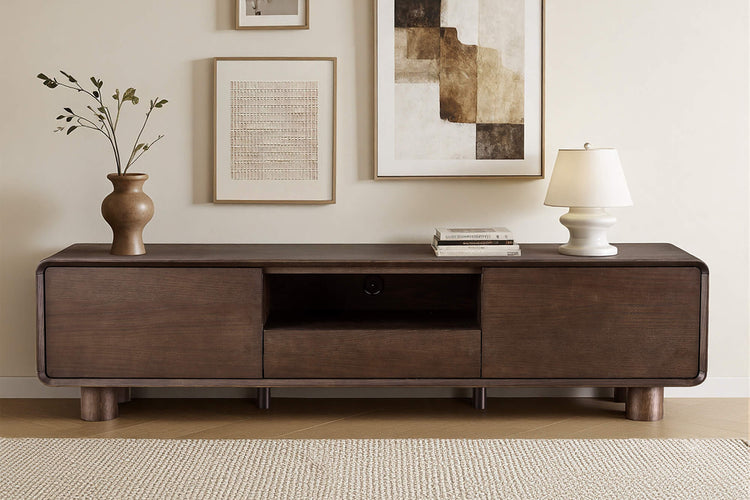
If you are comparing our Aaron TV console and Eason TV stand, use the specifications for the exact version you choose. Compare the usable top and equipment openings as well as the overall cabinet footprint.
Four measurements to keep when shopping
| Record | Use it to check |
|---|---|
| TV body width and available wall width | A cabinet width that fits the TV and the wall, with your preferred side space. |
| Installed base width and depth | The usable supporting surface and the TV's specified edge clearances. |
| Seated eye height and base-to-screen-center height | A starting cabinet height, checked from the seats you use. |
| TV-with-base weight plus other top-mounted items | The console's top-panel load rating. |
Tape out the cabinet's width and depth. Open nearby doors and the proposed cabinet doors or drawers, then walk past the outline. Keep the same measurement record when comparing our TV stands and media consoles.
TV stand size questions
What size TV stand works for a 55-inch TV?
About 54–58 inches wide is a starting range for a 55-inch 16:9 screen, which is roughly 47.9 inches wide before the bezel. Use the actual TV body and installed base to confirm the width and depth, then check the console's stated TV-size and top-load limits.
Can the TV be wider than the stand?
A wall-mounted TV can be wider than the console below it because the mount supports it. For a TV standing on the console, choose the combination using the exact installation instructions, supported TV size, complete base footprint, and load rating.
Is 15 inches of space on each side too much?
It can work on a wide wall or when you want space for speakers and storage. It adds 30 inches to the TV body width. Mark that full cabinet width and check the doors, wall edges, and items you plan to place there.
Should the TV stand be as long as the sofa?
Choose its length from the TV and media wall first. The sofa's length is a separate measurement. A shorter console can face a longer sofa when the television fits and the room's walking routes remain open.
Why do larger TVs often need lower stands?
A taller screen puts its center farther above the cabinet. At the same seated eye height, the height calculation gives a lower stand. Include the installed base when measuring the screen center.
Recommended Products
 Recommended
79" Aaron Modern Travertine Large-Capacity TV Console
$1,259.00
Recommended
79" Aaron Modern Travertine Large-Capacity TV Console
$1,259.00
 Recommended
71" Eason Vintage Oak TV Stand with Drawers
$1,049.00
Recommended
71" Eason Vintage Oak TV Stand with Drawers
$1,049.00
 Recommended
71" Chad Classic Open Shelf Functional TV Stand with Travertine
$999.00
Recommended
71" Chad Classic Open Shelf Functional TV Stand with Travertine
$999.00
 Recommended
79" Moore Modern Wood TV Stand with Drawer
$1,199.00
Recommended
79" Moore Modern Wood TV Stand with Drawer
$1,199.00
More to Read
 7 Sofa Trends That Actually Improve Comfort in 2026
Upgrade your living room with furniture that supports your body. Here are 7 modern sofa features designed to maximize your daily comfort...
7 Sofa Trends That Actually Improve Comfort in 2026
Upgrade your living room with furniture that supports your body. Here are 7 modern sofa features designed to maximize your daily comfort...
 Mother's Day Gift Guide: Cozy and Stylish Furniture Picks for Modern Moms
Make Mother's Day more meaningful with furniture gifts that bring comfort, smart features, storage, and quiet luxury into her everyday routine.
Mother's Day Gift Guide: Cozy and Stylish Furniture Picks for Modern Moms
Make Mother's Day more meaningful with furniture gifts that bring comfort, smart features, storage, and quiet luxury into her everyday routine.
 Performance Fabric Reality Check: Does It Really Repel Pet Hair and Stains?
Performance fabric is often marketed as a miracle solution for homes with pets and kids, but the reality is more nuanced. It...
Performance Fabric Reality Check: Does It Really Repel Pet Hair and Stains?
Performance fabric is often marketed as a miracle solution for homes with pets and kids, but the reality is more nuanced. It...