







































A 2026 charging credenza transforms a traditional sideboard into a high-performance stealth tech hub. It safely delivers high-wattage USB-C PD charging while hiding cables, managing heat from AI PCs or consoles, and preserving wireless signals. The key decision is matching your total internal heat load and device types to the cabinet's ventilation and power design. Passive cooling works for loads under roughly 60-100W with good airflow, but AI workstations or gaming setups often need active ventilation and UL-certified integrated power to avoid throttling or safety risks.

The Rise of the 2026 Charging Credenza: Beyond Simple Storage
Modern homes increasingly blend living spaces with powerful tech. Home offices host AI-capable laptops drawing 180W peaks, gaming setups run consoles and accessories that generate sustained heat, and smart-home devices multiply the charging demand. A standard credenza or media console often fails here because it lacks integrated high-wattage power, proper ventilation, or intelligent cable routing.
The job to be done is reducing surface clutter while supporting these devices safely. The 'Stealth Tech' approach hides power delivery, cooling paths, and cables so the furniture looks clean yet performs like a purpose-built hub. In 2026, AI PCs and high-end consoles require more rigorous engineering than earlier models because their sustained loads push cabinets toward thermal throttling or signal interference. Buyers who ignore these factors frequently regret purchases when devices slow down, wireless controllers drop, or cables create visible mess.
Check your setup first: list every device that will live inside or on the credenza, note its typical and peak wattage, and decide whether the space is open-plan living, a dedicated office, or a gaming room. If your combined load stays below 60W and you have natural airflow, a well-designed passive unit may suffice. Above that threshold, especially with enclosed AI hardware, you need active ventilation or a different layout.
Engineering the Hub: USB-C PD 3.1 and UL-Certified Power
Look for integrated power that matches 2026 device demands. USB Power Delivery 3.1 with Extended Power Range (EPR) has become the benchmark, allowing a single USB-C port to deliver up to 240W. This single-cable solution replaces bulky laptop bricks for high-performance AI workstations and gaming laptops, reducing clutter and heat from multiple adapters.
Safety matters more when power lives inside wood or enclosed furniture. UL 962A certification is the key standard for furniture power distribution units. It tests for heat dissipation, electrical safety, and fire risks in cord-and-plug connected cabinets. Standard power strips not rated for furniture integration can overheat or create hazards when enclosed; always verify UL 962A compliance on the hub itself.
Gallium Nitride (GaN) technology further improves these hubs. GaN components run cooler and occupy less space than traditional silicon designs, making them ideal for slim, furniture-friendly footprints. A GaN-based 240W hub can fit discreetly inside a credenza drawer or compartment while staying efficient under sustained loads.
Not every credenza needs 240W. If your devices stay under 100W total, a 140W or 100W certified hub may be enough. The decision filter is whether the power unit is purpose-rated for furniture (UL 962A) rather than a generic strip. Non-certified options should be avoided in enclosed spaces.
The Heat Budget: Managing Thermal Loads for AI PCs and Consoles
Heat is the most common hidden failure point. Enclosing an AI PC or console in a cabinet without adequate airflow often causes thermal throttling, where the device automatically reduces GPU or NPU performance to stay within safe temperatures. Real-world reports show 20% or greater performance loss in poorly ventilated setups.
Engineers use a practical formula to estimate needs: CFM (cubic feet per minute of airflow) ≈ 3.16 × total watts / allowable temperature rise (ΔT). For a typical 20°F rise above room temperature, every 100W of internal heat requires roughly 16 CFM of sustained airflow. This is a heuristic planning guideline rather than a precise lab measurement; actual results depend on cabinet volume, vent placement, and ambient conditions.
The practical caution band for passive-only credenzas sits around 60-100W. A 65W mini PC can often manage with good passive design and open shelving. Once loads reach 180W sustained (common for AI-capable workstations), active ventilation such as quiet fans or dedicated exhaust becomes the safer baseline. Systems peaking at 400W or higher are generally not suitable for fully passive enclosed credenzas without major custom ventilation infrastructure.
What this means for buyers: calculate your expected load, then treat passive cabinets as suitable only for low-heat devices. For AI PCs or gaming consoles, prioritize models with built-in vents, adjustable shelving that preserves airflow, or the option to add low-noise fans. Watch for throttling as the primary symptom; the cabinet may feel only warm externally while internal components downclock.
Thermal Management: Passive or Active Cooling?
Use this as a decision aid: lower-wattage devices can often stay passive if ventilation is adequate, while higher-wattage devices are more likely to need active cooling.
View chart data
| Category | Wattage ceiling (W) |
|---|---|
| Passive zone | 60.0 |
| Borderline zone | 100.0 |
| Active cooling zone | 180.0 |
| Not suitable for passive setup | 400.0 |
Signal vs. Style: Navigating Material Choice and Wireless Integrity
Material choice creates a clear scenario split between aesthetics and radio performance. Sintered stone and similar dense surfaces can attenuate 5/6 GHz Wi-Fi or controller signals by 18-25 dB. This loss is noticeable but not total blockage; it often reduces range or causes intermittent drops for devices placed inside the cabinet.
Solid wood remains effectively RF-transparent by comparison and is the safer default when you need reliable internal wireless routers, Qi chargers, or gaming controllers. Stone offers premium durability and appearance, so the practical solution is a hybrid layout: use stone where it matters for looks and wear, but keep or create a wood or thinned zone over the radio-sensitive area.
For invisible Qi wireless charging, sintered stone can be CNC-routed to 3-12 mm thickness in specific zones. This solves clearance for charging pads but does not eliminate the broader signal attenuation for Wi-Fi or Bluetooth. Plan the layout so that the router, access point, or controller hub sits under a wood section or near an open vent path.
The decision filter is whether your setup relies on strong internal wireless signals. If it does, prioritize wood or hybrid designs. Stone-top units can still work well if you route antennas externally or accept moderate range reduction. Always test signal strength in your actual room before final placement.
Blueprint for the Perfect Setup: Layout and Cable Management
Effective layout separates high-voltage power cables from low-voltage data lines to minimize electromagnetic interference. Run power cables along one side of the cabinet and data or HDMI lines along the opposite side, using built-in channels or clips where available. This separation improves both safety and signal quality.
Adjustable shelving is essential for maintaining airflow. Leave at least 2-3 inches of clearance above and around heat-generating devices. Position vents or fans at the back or top to create a natural convection path or directed exhaust. Many modern credenzas include rear access panels that let you reach ports without moving the entire unit; prioritize these for daily convenience.
Stealth routing hides cables completely while preserving airflow. Look for models with dedicated vertical channels, grommets, or removable back panels. In gaming or office setups, this prevents the tangled look and reduces dust buildup that could further restrict cooling. For renters or frequent movers, choose designs where the power hub can be accessed or upgraded without permanent modifications.
A common regret is discovering after assembly that ports are unreachable or vents are blocked by shelving. Measure your largest devices (including cable bend radius) and verify internal dimensions before purchase. The best setups treat cable management and ventilation as equal priorities with aesthetics.

Choosing Your 2026 Media Hub: Chita Living Recommendations
Once you have defined your wattage load, ventilation needs, and signal priorities, select a credenza that matches. The 79" Vanessa Large-Capacity Solid Wood TV Media Console offers generous internal space and solid wood construction that supports strong wireless performance. Its adjustable shelving and rear access make it suitable for home offices or gaming setups needing passive cooling up to the caution band, with room to add quiet fans if loads increase.
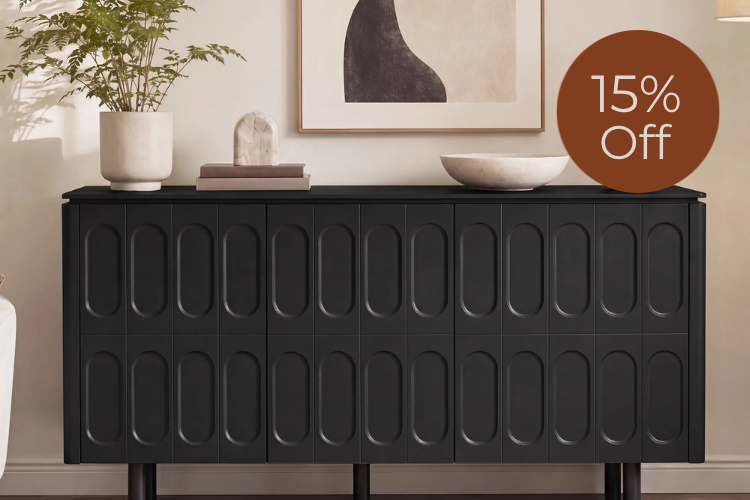
The 79" Samuel Rounded Panel TV Media Console brings Scandinavian design with architectural panels that aid passive heat dissipation. Its clean lines and versatile layout work well in open-plan living rooms where both style and moderate tech loads matter.
For a luxury sintered-stone aesthetic, the 79" Irais Large-Capacity TV Stand with Sintered Stone pairs premium materials with fluted detailing. Use its hybrid potential by placing wireless-sensitive devices under wood sections or thinned zones. All three models are fully assembled, which provides superior structural integrity for heavy stone tops and integrated power hubs compared with flat-pack alternatives.
Read our The 2026 Master Guide to Fully Assembled TV Stands and Media Consoles for deeper guidance on why factory-joined units reduce long-term wobble and improve cable routing precision. Cross-check internal dimensions against your specific devices, confirm the power hub carries UL 962A certification, and verify ventilation paths before ordering. When your load exceeds passive limits or stone placement would block critical signals, choose a wood-dominant or actively vented model instead.
Frequently Asked Questions
How Much Power Does a Charging Credenza Need in 2026?
A credenza should include at least one USB-C PD 3.1 port rated for 140W or higher to support modern laptops and AI devices without separate bricks. For multi-device households with phones, tablets, and accessories, look for 200W+ total output across multiple ports. Always match the hub's certified capacity to your calculated peak load rather than assuming one high-watt port covers everything simultaneously.
What Is the Safest Way to Manage Heat in an Enclosed Media Console?
Prioritize UL 962A-certified power units and calculate approximate airflow needs using the guideline CFM ≈ 3.16 × watts / 20°F ΔT. Add low-noise exhaust fans or ensure multiple vent paths when loads exceed 100W. Position heat-generating devices with clearance on all sides and monitor for performance drops that indicate throttling. Avoid completely sealed designs for anything beyond low-power smart-home gear.
Will a Stone-Top Credenza Block My Wi-Fi or Wireless Charging?
Dense stone can reduce 5/6 GHz signals by 18-25 dB, which may shorten range for internal routers or cause occasional controller dropouts. Wood is far more transparent. For Qi charging, routing stone to 3-12 mm thickness in a dedicated zone usually works, but place the main wireless hub under a wood section or near an edge to maintain performance.
Can I Add My Own Power Hub or Fans to a Standard Credenza?
Many buyers upgrade existing furniture, but only use UL 962A-rated power distribution units designed for furniture integration. Standard power strips can create fire risks when enclosed. For fans, choose quiet 12V models with proper exhaust routing. Professional installation or careful DIY with separated power and data paths is recommended to maintain safety and signal integrity.
How Do I Future-Proof a Charging Credenza for New Devices?
Select models with modular or upgradable power compartments, ample internal depth (at least 16-18 inches for full-size components), and adjustable shelving. Prioritize solid wood or hybrid constructions for signal flexibility and ensure rear access panels allow easy upgrades. Verify the manufacturer supports replacement hubs as USB-C PD standards continue to evolve.
What Is the Best Layout for Cable Management and Ventilation?
Route high-voltage power cables on one side of the cabinet and low-voltage or data cables on the opposite side. Use vertical channels or clips to keep runs tidy and away from airflow paths. Leave 2-3 inches of clearance around devices, position vents high or at the rear for natural convection, and choose consoles with removable back panels so ports remain accessible without moving the unit.
Recommended Products



More to Read
 7 Sofa Trends That Actually Improve Comfort in 2026
Upgrade your living room with furniture that supports your body. Here are 7 modern sofa features designed to maximize your daily comfort...
7 Sofa Trends That Actually Improve Comfort in 2026
Upgrade your living room with furniture that supports your body. Here are 7 modern sofa features designed to maximize your daily comfort...
 Mother's Day Gift Guide: Cozy and Stylish Furniture Picks for Modern Moms
Make Mother's Day more meaningful with furniture gifts that bring comfort, smart features, storage, and quiet luxury into her everyday routine.
Mother's Day Gift Guide: Cozy and Stylish Furniture Picks for Modern Moms
Make Mother's Day more meaningful with furniture gifts that bring comfort, smart features, storage, and quiet luxury into her everyday routine.
 Performance Fabric Reality Check: Does It Really Repel Pet Hair and Stains?
Performance fabric is often marketed as a miracle solution for homes with pets and kids, but the reality is more nuanced. It...
Performance Fabric Reality Check: Does It Really Repel Pet Hair and Stains?
Performance fabric is often marketed as a miracle solution for homes with pets and kids, but the reality is more nuanced. It...