























Hybrid Island Seating: 2026 Stools for Dining, Working, and Socializing

The 2026 Kitchen Island: Why Your Current Stool Fails by Hour Two
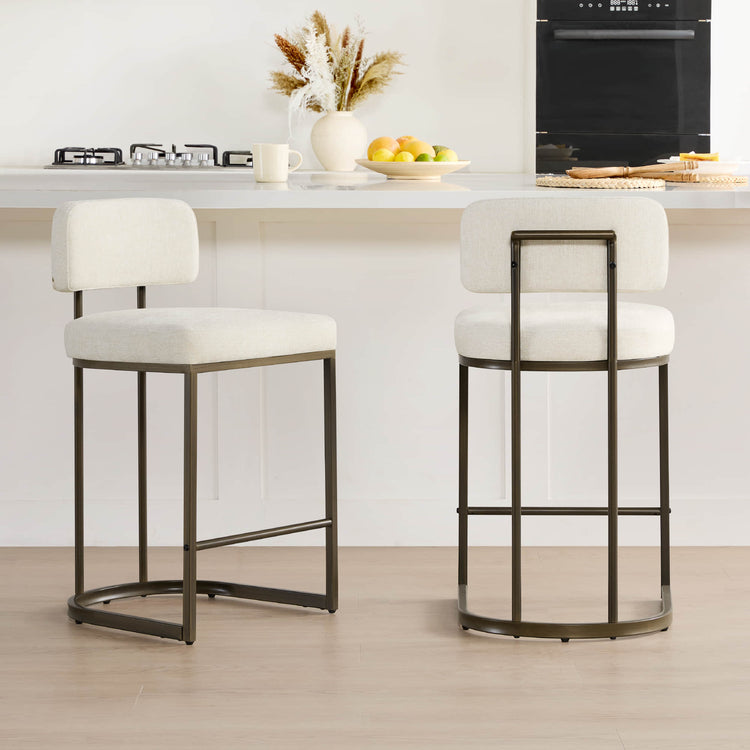
In 2026, the kitchen island has evolved beyond a breakfast nook into a primary hybrid workspace. As more households adopt "long-task" island habits—where a single surface hosts morning coffee, a four-hour deep-work block, and evening socializing—the demands on seating have shifted. We are seeing a move toward "compact ergonomics," where stools must provide the support of a task chair without the bulky aesthetic of office furniture.
Many homeowners discover that attractive dining stools, chosen primarily for style, begin to fail after roughly 90 minutes of focused work. This is the point where "stool fatigue" sets in: pressure builds under the sitting bones, shoulders begin to shrug due to incorrect height ratios, and the lack of lumbar support leads to a "C-curve" slouch that strains the lower back. For those using the island as a primary desk, selecting a stool based on 2026 hybrid standards is essential to avoid chronic discomfort.

Ergonomic Math: Height, Clearance, and the Self-Check Method
The foundation of comfortable hybrid seating is matching stool height to your island so elbows rest at a neutral angle. While industry averages provide a starting point, individual torso length and desk habits dictate the final fit.
The Baseline Rule of Thumb: For a standard 36-inch counter, stools with seat heights between 24 and 26 inches are typically ideal. This generally creates a 10- to 12-inch clearance gap between the seat top and the underside of the counter. This range is designed to allow forearms to rest flat while keeping wrists neutral during typing.
The "Self-Correction" Logic: Numbers alone don't guarantee comfort. Use these signals to verify your fit:
- The Shoulder Test: If your shoulders rise toward your ears when your hands are on your laptop, the stool is too low or the clearance is too tight.
- The Thigh Test: If you feel significant pressure on the underside of your thighs near the edge of the seat, you are likely "perching" because the stool is too high, or the footrest is too low.
- The Slide Signal: If you find yourself sliding forward to reach the counter, your clearance is likely too large, or the seat pan lacks sufficient friction/contour.
The Bar Stool & Dining Chair Height Guide confirms that maintaining a neutral elbow position is the primary defense against cervical strain during extended work.
Neutral Typing Fit for a 36-inch Counter
A 36-inch counter typically pairs with a 24-26 inch seat and about a 10-12 inch elbow gap for neutral typing posture.
View chart data
| Category | Lower bound | Upper bound |
|---|---|---|
| Counter height | 36.0 | 36.0 |
| Seat height range | 24.0 | 26.0 |
| Elbow clearance gap | 10.0 | 12.0 |
The 'Dinner-to-Desk' Threshold: Foam Density and Support
Hybrid use creates two distinct comfort thresholds. For short meals, almost any padded stool suffices. However, for sessions exceeding two hours, the material science of the seat becomes the deciding factor.
- The 2-Hour Mark (Pressure): The main issue is pressure concentration under the sitting bones.
- The 4-Hour Mark (Bottoming Out): Standard dining foam (often around 1.8 PCF) may feel plush initially but can collapse under sustained weight. For 2026 hybrid standards, we recommend high-density foam (2.5 to 2.8 PCF) as a baseline for those planning to work from their island. This density helps maintain even weight distribution and prevents the "bottoming out" feeling where you eventually feel the hard frame beneath the cushion.
Note: Actual comfort duration varies based on user weight and the total thickness of the cushion. A thinner 2.5 PCF pad may still feel firm, so look for a balance of density and at least 2-3 inches of padding.
The Role of the Footrest: Proper foot support is non-negotiable for circulation. A footrest positioned 17 to 19 inches below the seat (adjustable for height-variable users) prevents the legs from dangling, which can compress the femoral artery. The HumanScale guidance on footrest benefits highlights how proper foot placement maintains spinal alignment during extended tasks.

Swivel Mechanics: 360° Mobility vs. Aesthetic Order
In the compact kitchens of 2026, swivel capability is a functional necessity for "entry and exit" without scuffing floors or struggling with heavy furniture.
- 360-Degree Swivel: Best for high-activity users who frequently turn between the island (work) and the stove or fridge (home tasks). It offers maximum micro-mobility for shifting posture during long calls.
- Memory-Return Swivel: Ideal for open-concept homes where visual order is a priority. The stool automatically resets to face the counter, keeping the room tidy.
2026 Hybrid Stool Comparison: Top Picks for Island Work
To help you verify these specs, we’ve audited several popular models against our hybrid checklist.
| Model | Seat Height | Swivel Type | Back Support | Best For |
|---|---|---|---|---|
| Nova Swivel Stool | 26" (Counter) | 360° | Full Contoured | Long-duration work; maximum lumbar alignment. |
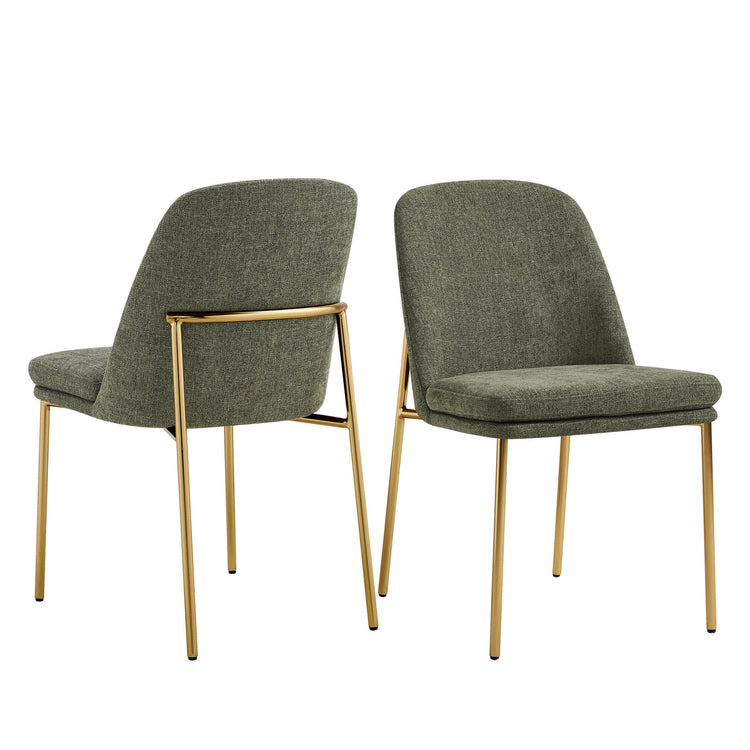
| Tanya Modern Stool | 26" (Counter) | 360° | Mid-Back | Soft-touch comfort (Chenille) for creative sessions. |
| Willie Rope Stool | 26.4" | Fixed/Stationary | Wrap-around | Aesthetic-focused spaces; high stability for shorter tasks. |
| Lissa Swivel Stool | 25.6" | 360° | Low-Profile | Compact kitchens where visual "bulk" must be minimized. |
Note: While these models meet the ergonomic framework for hybrid use, always verify the specific foam density with the manufacturer if you have specific high-weight or ultra-long-duration requirements.
The 2026 Hybrid Seating Checklist
Use this checklist to evaluate any stool for "island office" duty:
- Height Range: Does the seat height (24-26") allow for a 10-12" gap? (Adjust based on your torso height).
- Supportive Core: Is the foam high-density (2.5+ PCF) to prevent bottoming out during 2+ hour sessions?
- Lumbar Alignment: Does the backrest follow the natural S-curve of your spine, or is it purely decorative?
- Footrest Drop: Is the footrest roughly 17-19" below the seat to prevent thigh compression?
- Mobility: Does the swivel mechanism allow you to exit the seat easily in your specific kitchen layout?
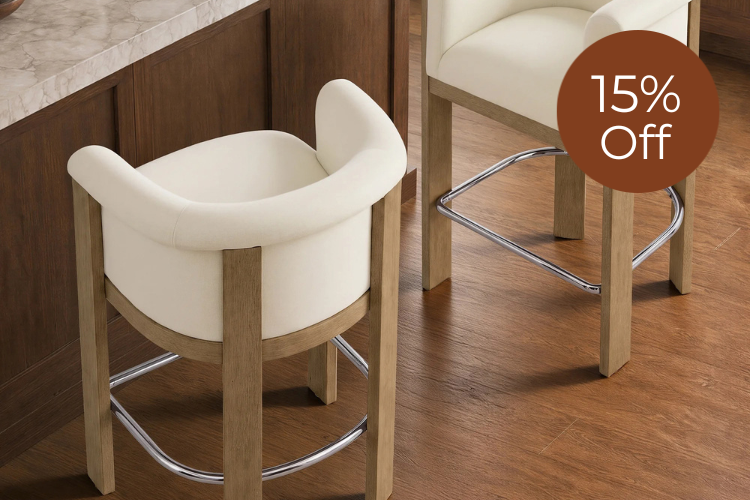
While no stool fully replaces a dedicated, multi-adjustment task chair for 8-hour days, models that meet these criteria—such as the Nova or Tanya—provide a sustainable middle ground for the modern hybrid lifestyle.
Explore more options in our Bar & Counter Stools Clearance or see how many bar stools are needed for your kitchen island to plan your layout effectively.
Common Hybrid Seating Questions
How much clearance do I actually need?
While 10-12 inches is the standard, taller individuals may require 13 inches to avoid thigh-to-counter contact. Always perform the "Shoulder Test": if your shoulders feel forced upward when typing, you need more clearance.
Is a backless stool okay for working?
Generally, no. For sessions longer than 30 minutes, the lack of lumbar support leads to "slumping," which increases intradiscal pressure in the lower back. Backless stools are best reserved for quick meals or socializing.
Why does my tailbone hurt after two hours?
This is usually a sign of low-density foam (under 2.0 PCF) bottoming out. The foam has compressed completely, leaving your sitting bones in contact with the hard seat base. Switching to a high-density (2.5+ PCF) cushion usually resolves this.
Should I choose 360-degree or memory-return swivel?
Choose 360-degree if your island is in a tight space where you need to "spin out" to exit. Choose memory-return if your kitchen is visible from the front door and you want the stools to always look perfectly aligned.
Are footrests on stools durable enough for daily use?
Look for stools that meet ANSI/BIFMA standards, as these are tested for the repeated weight and pressure of daily use. The updated BIFMA Ergonomics Guideline provides a benchmark for home-office durability.
Recommended Products

More to Read
 7 Sofa Trends That Actually Improve Comfort in 2026
Upgrade your living room with furniture that supports your body. Here are 7 modern sofa features designed to maximize your daily comfort...
7 Sofa Trends That Actually Improve Comfort in 2026
Upgrade your living room with furniture that supports your body. Here are 7 modern sofa features designed to maximize your daily comfort...
 Mother's Day Gift Guide: Cozy and Stylish Furniture Picks for Modern Moms
Make Mother's Day more meaningful with furniture gifts that bring comfort, smart features, storage, and quiet luxury into her everyday routine.
Mother's Day Gift Guide: Cozy and Stylish Furniture Picks for Modern Moms
Make Mother's Day more meaningful with furniture gifts that bring comfort, smart features, storage, and quiet luxury into her everyday routine.
 Performance Fabric Reality Check: Does It Really Repel Pet Hair and Stains?
Performance fabric is often marketed as a miracle solution for homes with pets and kids, but the reality is more nuanced. It...
Performance Fabric Reality Check: Does It Really Repel Pet Hair and Stains?
Performance fabric is often marketed as a miracle solution for homes with pets and kids, but the reality is more nuanced. It...