














































Are recliners Worth It for work-from-home breaks?

Are recliners worth it for work-from-home breaks? Usually yes if you use them as a short recovery station, not as your main work chair. If you take frequent 10- to 15-minute pauses and have room for the chair, a recliner can make those breaks feel more deliberate and less like you are just moving to another seat.

Why Desk Breaks Feel So Rough
Long video calls, back-to-back meetings, and hours of static sitting wear people down in ways that are hard to ignore by midafternoon. Mayo Clinic’s office ergonomics guidance notes that prolonged sitting in one position can contribute to discomfort in the neck, back, and shoulders, and that varying posture can help reduce that strain. That is the basic reason a break chair is worth thinking about at all.
The real question is not whether a recliner is luxurious. It is whether it helps you change posture and attention enough to feel like a true reset. For remote workers, that distinction matters. A chair that supports a different position can be more useful than staying at the desk for the whole day, but only if it is used intentionally.
For most people, the best-fit setup is simple: desk for work, recliner for short breaks, and a clear line between the two. If the chair would just become another place to sit and scroll, the value drops fast. That is why the first filter is not style, but whether your break routine is frequent enough to justify the seat.
A comfort-forward setup is also where a 2026 recliner trends overview can be useful, because the modern version is often about hidden power and space-aware design, not just lounging.
What a Recliner Changes During Breaks
A recliner can make a short break feel more restorative because it changes how your body carries weight. OSHA’s workstation positioning guide describes neutral body positioning as slightly reclined with leg support, which can reduce stress compared with rigid upright sitting. That does not make a recliner a treatment, but it does explain why many people feel less locked up after leaning back.
For short breaks, that posture shift is the point. You are not trying to work in the recliner. You are trying to stop feeling pinned to the desk posture for a few minutes. If your break is long enough to reset your shoulders, legs, and attention, a recliner can do that better than staying upright in the same chair.
Zero-gravity is worth mentioning here, but only as a model-specific positioning style. NASA Spinoff’s discussion of zero-gravity body posture describes the concept as a posture inspired by neutral-body ideas, not as a medical promise. In other words, when a recliner is marketed this way, treat it as a comfort label that may suit short breaks, not as proof of health benefits.
For the mental side, the benefit is more subtle. Scientific American has discussed the psychological value of a clear transition between work and rest. That matters because a recliner can create a clearer end point for a break than simply swiveling away from the keyboard. If you want a short reset that feels separate from work, that boundary can be useful.
Power recline and USB-C charging are convenience features, not requirements. They matter most when you take frequent quick breaks and want to adjust without fighting the mechanism or heading back to the desk. In that case, a zero-gravity positioning guide can help you compare comfort styles before you buy.
How It Fits a Home Office
A recliner works best when the room layout supports it. In a dedicated office, the chair can sit in a reset corner and stay out of the way. In a shared room, it has to compete with traffic flow, door swing, and whatever else the space needs to do during the day. In a small office, clearance matters more than the feature list.
Here is a simple way to judge fit:
| Setup scenario | When it works well | What to check first | Best feature fit |
|---|---|---|---|
| Small room | You still have clear walking space and can recline without blocking a path | Wall clearance, door swing, outlet access | Wall-hugger or zero-wall-hugger design |
| Shared room | The chair can stay tucked away when not in use | Visual clutter, traffic flow, daily access | Cleaner profile, compact footprint |
| Dedicated office | The recliner has a defined break zone | Comfort level and routine fit | Power recline, foot support, charging |
Small-space shoppers should pay attention to wall-hugger designs first. A wall-hugger clearance guide is useful because it focuses on placement, not just comfort language. If the room is tight, that matters more than whether the chair has a premium finish.
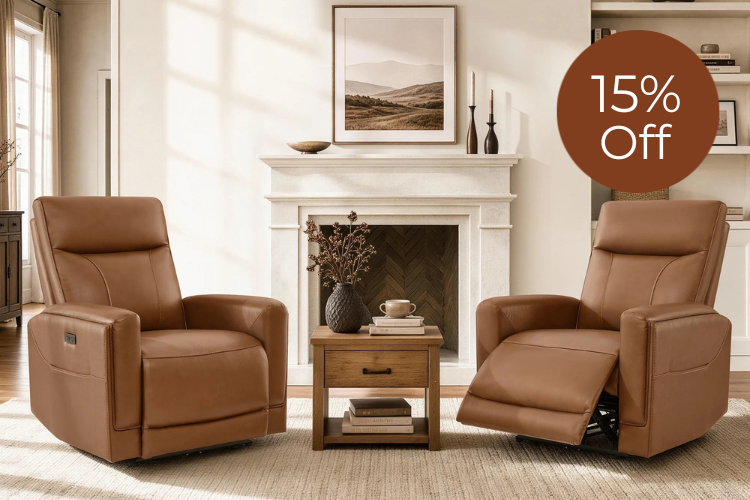
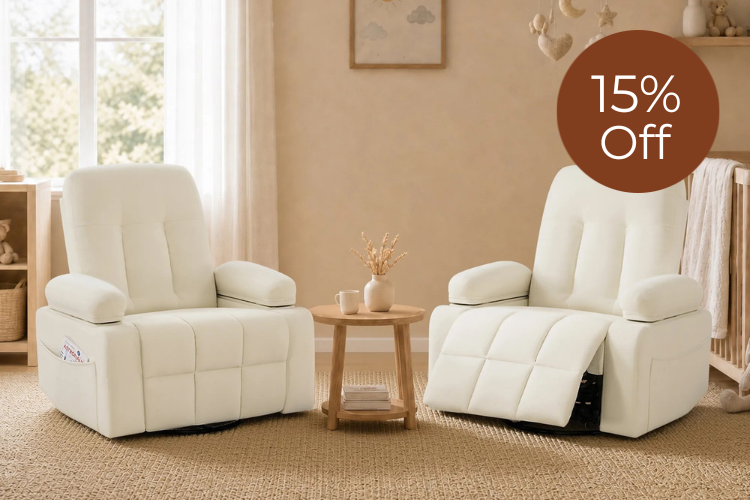
If you want a narrow fit-first option, a zero wall-hugger recliner is the kind of category to check first. If you want a more premium-feeling break seat for a room that can handle it, a wall-hugger power recliner is worth comparing, but only after you confirm the layout works.

When a Recliner Is Not the Right Buy
A recliner is usually the wrong choice if it has to do too many jobs at once. If you need one chair to support desk work, brief breaks, and all-day sitting, a task chair is often the better primary seat. A recliner is a break seat first.
It is also a weak purchase if you rarely step away from the desk. In that case, the chair becomes expensive dead space. The same is true if the room is already tight enough that recline clearance would make the office feel crowded or awkward to move through.
Do not buy one just because it looks comfortable. Buy one only if one or more of these are true:
- You take short breaks often enough to use it.
- You have room for the chair to open without blocking the room.
- You want a clearer boundary between work and rest.
- You are specifically comparing comfort upgrades, not replacing your task chair.
- You have outlet access and would actually use power features.
If you are still shopping broadly, the new recliner arrivals collection is a reasonable place to browse after you decide the category itself makes sense.
A Practical Way to Choose
Start with your break routine, not the feature list. If you only want an occasional lounge chair, keep your budget modest and focus on fit. If you take frequent short breaks, then power recline and charging become more useful. If the room is small, wall-hugger design moves to the top of the list. If the chair is meant to feel especially weight-shifting and relaxed, look at zero-gravity-style options.
A quick self-check can keep you from overbuying:
- How often do you actually take breaks? If the answer is rarely, a recliner is probably not the right spend.
- Where will it live? Measure the path it will affect, not just the open floor spot.
- What is the chair for? Short resets, not all-day work posture.
- Do you want convenience features? Power recline and USB-C are nice when you use them, but not essential.
- Which fit matters most? Compact layout, comfort posture, or feature-rich convenience.
If your priority is comfort posture, the zero-gravity recliner collection is the clearest browse path. If you want a featured model to compare against that use case, the Atlas zero-gravity power recliner is a sensible reference point, but check that its features match your space and routine before buying.
| Break need | Best recliner fit | When to skip it |
|---|---|---|
| Short reset | Smooth recline and leg support | You never leave the desk |
| Mental separation | A clear lounge spot away from work | You want one chair for everything |
| Small-space fit | Wall-hugger or zero-wall-hugger design | Recline would crowd the room |
| Frequent quick adjustments | Power controls and easy access to power | You do not care about convenience features |
| Space or feature not needed | None; keep the money for another item | The chair would sit unused |
Final Takeaway
So, are recliners worth it for work-from-home breaks? Yes, when you use them as a short, intentional reset and the room can handle the footprint. No, when you need one chair to do everything or the space is too tight to make recline comfortable. If you want the category to earn its keep, start with break routine, then room fit, then features.
FAQs
How Long Should a Work-From-Home Recliner Break Be?
A short break is usually the right use case. Think in terms of a few minutes to around a quarter of an hour, depending on your schedule and how often you stand up. The point is to reset posture and attention without letting the break turn into a long detour.
Can a Recliner Fit in a Small Home Office?
Yes, if the layout supports it. Measure wall clearance, walkway space, and door swing before you buy. Wall-hugger models are often the easier option in tight rooms because they are designed to be more placement-friendly.
Is a Power Recliner Necessary for Breaks?
No. Power recline is a convenience feature, not a requirement. It matters most if you take frequent short breaks and want fast, easy adjustment. If you are happy with a simpler setup, a manual recliner can still work well.
What Features Matter Most for a Midday Reset?
The best features depend on your routine, but smooth recline, leg support, fit in the room, and easy access to power are common priorities. If you take quick breaks often, charging and power controls become more useful. If space is tight, fit matters first.
Are Recliners Better Than a Couch for Work Breaks?
Often, yes, if you want a more deliberate break zone. A recliner can make it easier to shift posture and mentally separate work from rest. A couch may be better if you want a looser lounging spot and do not need the chair to feel distinct from the work area.
Recommended Products




More to Read
 7 Sofa Trends That Actually Improve Comfort in 2026
Upgrade your living room with furniture that supports your body. Here are 7 modern sofa features designed to maximize your daily comfort...
7 Sofa Trends That Actually Improve Comfort in 2026
Upgrade your living room with furniture that supports your body. Here are 7 modern sofa features designed to maximize your daily comfort...
 Mother's Day Gift Guide: Cozy and Stylish Furniture Picks for Modern Moms
Make Mother's Day more meaningful with furniture gifts that bring comfort, smart features, storage, and quiet luxury into her everyday routine.
Mother's Day Gift Guide: Cozy and Stylish Furniture Picks for Modern Moms
Make Mother's Day more meaningful with furniture gifts that bring comfort, smart features, storage, and quiet luxury into her everyday routine.
 Performance Fabric Reality Check: Does It Really Repel Pet Hair and Stains?
Performance fabric is often marketed as a miracle solution for homes with pets and kids, but the reality is more nuanced. It...
Performance Fabric Reality Check: Does It Really Repel Pet Hair and Stains?
Performance fabric is often marketed as a miracle solution for homes with pets and kids, but the reality is more nuanced. It...