















































Your living room sideboard can quietly serve as the nerve center for a NAS, mini-PC, and multiple smart-home hubs, but only if it is engineered with proper ventilation paths, cable routing, and material choices that preserve Wi-Fi performance. Standard decorative cabinets often trap heat, amplify vibration, or block high-frequency signals, leading to throttling, premature hardware wear, or dead zones in your mesh network.

The Hidden Tech Hub: Why Your Sideboard Needs Engineering, Not Just Decor
The 'Stealth Tech' trend has moved powerful home servers and wireless bridges out of utility closets and into shared living spaces. This shift creates new demands on furniture: it must manage cumulative heat loads from devices that can exceed 200 W combined, route power and data lines without creating airflow dams, and remain transparent enough to 6 GHz signals that behave more like light than traditional Wi-Fi.
Standard sideboards fail in three common ways. First, solid doors and shallow rear clearance trap exhaust air, causing thermal throttling within minutes of sustained NAS workloads. Second, cable bundles pressed against device vents reduce effective cooling volume. Third, dense materials or metallic accents can attenuate signals enough to drop your Wi-Fi 7 mesh node from multi-gigabit back to legacy speeds.
For smart-home owners who want both clean aesthetics and reliable performance, the right sideboard acts as a purpose-built thermal and wireless-transparent enclosure rather than generic storage. The decision starts with your specific device stack: passive cooling suffices for lighter loads in well-ventilated designs, while high-density setups require active assistance or more open fronts.
Sideboard vs. Buffet: What's the Real Difference? (2026 Guide) helps clarify which form factor best suits a media-corner tech hub versus dining storage. Similarly, the 2026 Master Guide to TV Stands and Media Consoles: Sizing, Storage, and Style shares overlapping lessons on cable management that translate directly to sideboard use.
Heat Management: Ventilation Paths and Thermal Thresholds
A NAS or mini-PC needs continuous airflow to stay within safe operating temperatures. Enterprise guidelines for enclosed electronics indicate that cabinet doors should have at least 60% to 80% open-area perforation to support effective passive cooling, according to Oracle and Cisco cabinet ventilation standards. In practice, many consumer furniture fronts fall well below this benchmark, especially when decorative panels or tightly woven rattan are used.

Equally critical is rear clearance. Maintain at least 3 inches between device exhaust fans and the cabinet back panel; this prevents hot air from recirculating and causing thermal throttling, as detailed in Cisco's Nexus hardware installation guidance. Without it, even a well-perforated door cannot compensate.
The tipping point often appears when your combined device wattage climbs above 150–200 W inside a mostly enclosed 60–70 inch cabinet. A single Mac Studio-class mini-PC paired with a multi-bay NAS and several always-on hubs can exceed passive limits quickly. In these high-density stacks, an auxiliary low-noise fan mounted at the rear or top becomes the safer choice rather than hoping the furniture alone will suffice.
This visualization clarifies that high perforation combined with adequate clearance keeps most moderate loads in the passive-safe zone, while low perforation or tight clearance pushes the recommendation toward adding a quiet fan.
Signal Integrity: Navigating Wi-Fi 7 and Smart Hub Interference
Wi-Fi 7’s 6 GHz band is particularly sensitive to physical obstacles. Wood typically causes only 3–10 dB of attenuation across 2.4 GHz and 5 GHz bands, whereas metal enclosures can block more than 40 dB and effectively function as a partial Faraday cage, per Huawei’s WLAN planning documentation on common obstacles. For this reason, solid metal sideboards are rarely suitable for routers or Zigbee bridges.
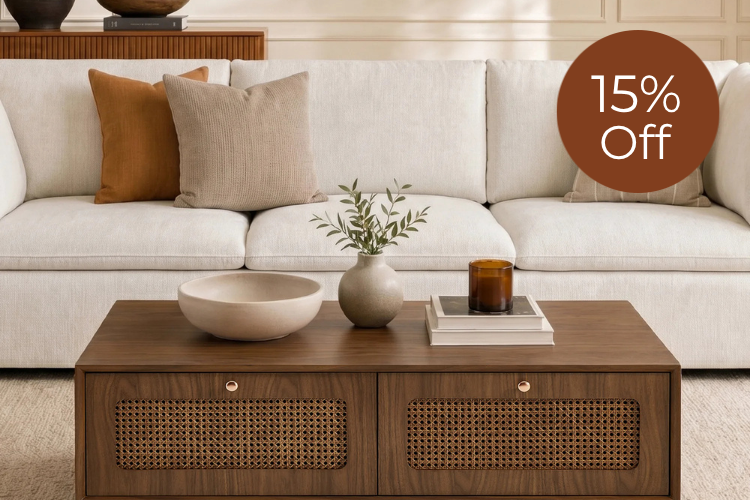
The 6 GHz signal behaves more like visible light than lower frequencies, requiring near line-of-sight to the access point or mesh node. Slatted doors, woven rattan fronts, or wave-pattern panels preserve far more signal strength than solid wood or Low-E coated glass. Standard glass introduces roughly 3–7 dB loss, but metallic Low-E coatings can raise that to 20 dB or higher, making them problematic for high-frequency performance.
Place wireless nodes as close as possible to the front opening of the cabinet. When hiding a mesh node inside a sideboard, choose a design with open geometry on at least one major face rather than relying on material transparency alone. In open-plan apartments where the sideboard sits against a wall, this orientation can prevent the creation of dead zones that frustrate smart-home automation.
Structural Logic: Sizing and Vibration Control for NAS Units
Multi-bay NAS units can weigh 13–15 lbs or more when fully populated with drives. Internal shelving must be rated for at least this load with reinforced brackets to avoid long-term sagging. Hardwood’s natural viscoelastic properties help dampen vibration from 7200 RPM drives, but hollow cabinet cavities can still act as resonance chambers, turning subtle drive hum into an audible living-room nuisance.
Large empty spaces inside the sideboard amplify low-frequency vibration in a phenomenon sometimes called the megaphone effect. Dense, stiff construction and the use of decoupling pads (EVA foam or heavy-duty Velcro) between the NAS feet and the shelf reduce transmission to the cabinet frame. Avoid thin particleboard or resonant metal panels when the primary goal is quiet operation.
These structural considerations shift buying criteria from appearance alone to acoustic and load-bearing performance. A sideboard that looks perfect in photos may still disappoint if it hums under load.
Cable and Power Management: Organizing the "Spaghetti"
Multiple devices generate a tangle of power cords, Ethernet cables, and USB lines that can block airflow and create electromagnetic interference. Separating power from data cables inside the cabinet reduces EMI and prevents “cable dams” that trap heat, consistent with data-center airflow best practices.
Brush-style grommets or slotted rear panels let cables exit cleanly while preserving airflow. Mounting a power distribution unit (PDU) or surge-protected strip securely to the cabinet’s back wall keeps outlets accessible for maintenance without opening the entire unit. This arrangement also makes it easier to isolate devices during upgrades or troubleshooting.
For users repurposing living-room furniture as a compact home office, these same routing principles apply to printers and scanners. Banish Clutter: TV Stands with Hidden Cable Management offers practical techniques that transfer directly, while The Sideboard Office: Repurposing Storage for Printers and Paperwork explores depth and ventilation rules for mixed-use scenarios.
The 2026 Tech-Ready Sideboard Fit Checklist
Use this checklist to evaluate whether a given piece will support your specific device stack safely and quietly.
Airflow checklist
- Door perforation at or above 60% open area for passive setups
- At least 3 inches of clear rear space behind every heat-generating device
- Mounting points or space for a quiet 80–120 mm auxiliary fan if your combined load exceeds 150 W
Signal checklist
- Slatted, rattan, or wave-panel fronts rather than solid wood or metal for Wi-Fi 7 mesh nodes
- Placement of wireless devices within 4–6 inches of the front opening
- Avoidance of Low-E glass or metallic accents near primary routers or hubs
Structure checklist
- Shelf load rating of 15 lbs or higher with metal brackets for NAS units
- Dense hardwood or reinforced panels to limit vibration resonance
- Decoupling pads included or easily added under heavy equipment
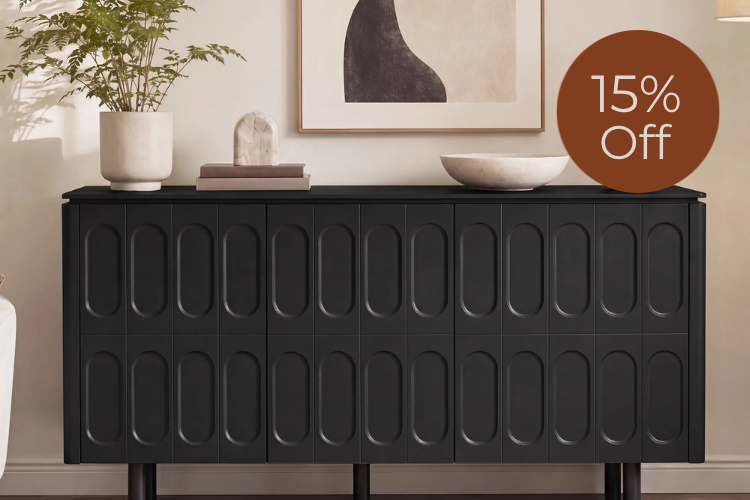
When these conditions are met, the 62" Clara Contemporary Wood Sideboard stands out for its integrated cable grommets, adjustable interior shelves, and modern wave-pattern doors that balance aesthetics with functional airflow. Its design supports both passive cooling for moderate stacks and easy addition of fans for heavier loads, while the wood construction helps preserve wireless performance better than metal alternatives.
If your setup includes high-wattage gear in a fully enclosed cabinet or you cannot maintain rear clearance, consider a more open console-style piece or plan for active cooling from the start. Matching the furniture to your actual thermal, acoustic, and wireless requirements prevents the common regret of beautiful storage that quietly damages expensive electronics.
Can any sideboard safely hold a NAS and mini-PC without modifications?
No. Only designs with adequate perforation, rear clearance, and load-rated shelving are suitable. Standard decorative cabinets frequently lack these features and can lead to overheating or vibration issues within weeks of continuous use. Always verify the specific dimensions and material openness before purchase.
How much rear clearance is truly necessary behind a NAS inside a sideboard?
Enterprise guidelines recommend at least 3 inches between the device’s exhaust and the cabinet back. Less clearance forces hot air to recirculate, raising internal temperatures and triggering thermal throttling that reduces drive lifespan and performance.
Will a wooden sideboard block my Wi-Fi 7 or 6 GHz mesh network?
Wood attenuates high-frequency signals far less than metal (typically 3–10 dB versus 40 dB+), but solid fronts still reduce range. Slatted or wave-pattern doors preserve significantly more signal; position nodes near the front opening for best results. Low-E glass doors can create additional problems.
What is the best way to reduce NAS vibration noise in a sideboard?
Choose dense hardwood construction over hollow or thin panels, and place thick EVA foam or heavy-duty Velcro pads under the NAS feet. These decoupling methods limit transmission of drive hum to the cabinet frame without promising complete silence.
Should I separate power and Ethernet cables inside the sideboard?
Yes. Keeping power lines away from data cables reduces electromagnetic interference that can affect network stability and prevents cable bundles from blocking cooling airflow. Use brush grommets to route them neatly while maintaining open air paths.
Which sideboard features matter most for a high-density smart-home setup?
Prioritize adjustable shelves rated for 15+ lbs, rear cable management with grommets, and front panels offering at least 60% effective openness. For Wi-Fi 7 routers or multiple Zigbee bridges, favor rattan or slatted designs over solid doors and avoid metal construction entirely.
Recommended Products




More to Read
 7 Sofa Trends That Actually Improve Comfort in 2026
Upgrade your living room with furniture that supports your body. Here are 7 modern sofa features designed to maximize your daily comfort...
7 Sofa Trends That Actually Improve Comfort in 2026
Upgrade your living room with furniture that supports your body. Here are 7 modern sofa features designed to maximize your daily comfort...
 Mother's Day Gift Guide: Cozy and Stylish Furniture Picks for Modern Moms
Make Mother's Day more meaningful with furniture gifts that bring comfort, smart features, storage, and quiet luxury into her everyday routine.
Mother's Day Gift Guide: Cozy and Stylish Furniture Picks for Modern Moms
Make Mother's Day more meaningful with furniture gifts that bring comfort, smart features, storage, and quiet luxury into her everyday routine.
 Performance Fabric Reality Check: Does It Really Repel Pet Hair and Stains?
Performance fabric is often marketed as a miracle solution for homes with pets and kids, but the reality is more nuanced. It...
Performance Fabric Reality Check: Does It Really Repel Pet Hair and Stains?
Performance fabric is often marketed as a miracle solution for homes with pets and kids, but the reality is more nuanced. It...